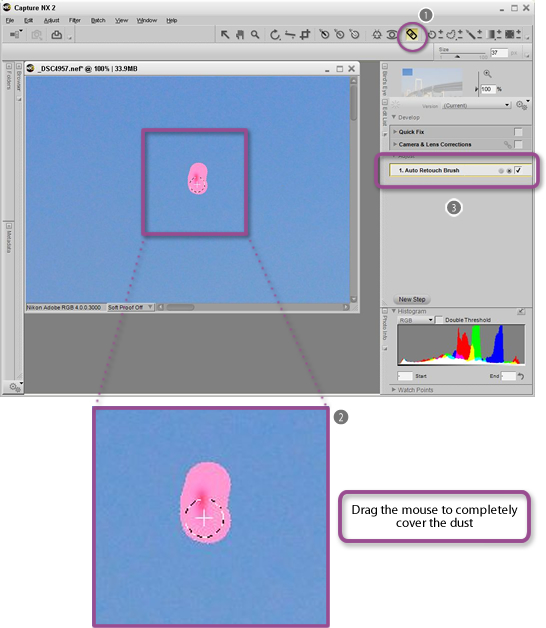

















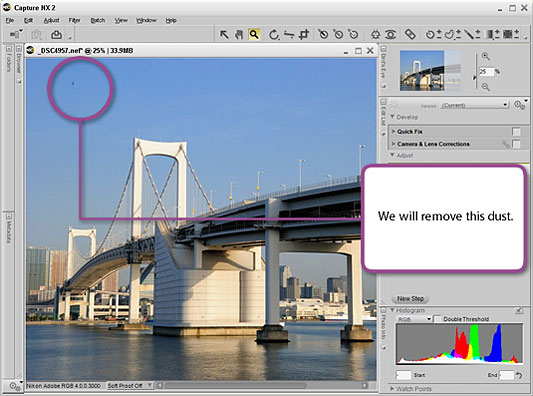
The effects of dust or foreign matter reflected in images are easily removed using the Auto Retouch Brush in Capture NX 2.
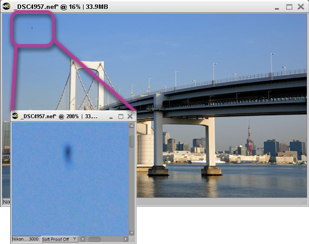
BeforeBlack dust is reflectedin the top left corner of the image. |

|
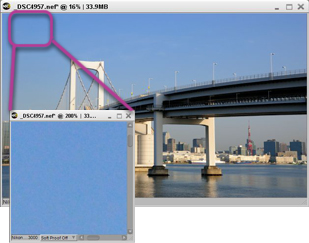
AfterThe effects of dust are removedusing the Auto Retouch Brush. |










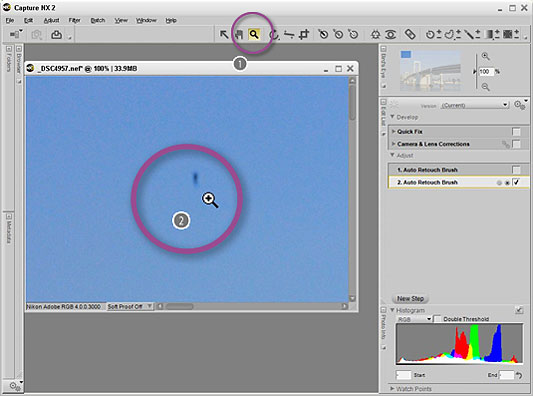
- Click the zoom tool.

- Click on the dust to be removed to enlarge that portion for simpler operation. To always display accurate results, enlarge images to 100%.


- Click the Auto Retouch Brush.
- Drag the mouse cursor over the portion in which the dust to be removed is reflected.
The portion over which the mouse was dragged will be painted a transparent red.

- An Auto Retouch Brush step is added to the Adjust area in the Edit List.

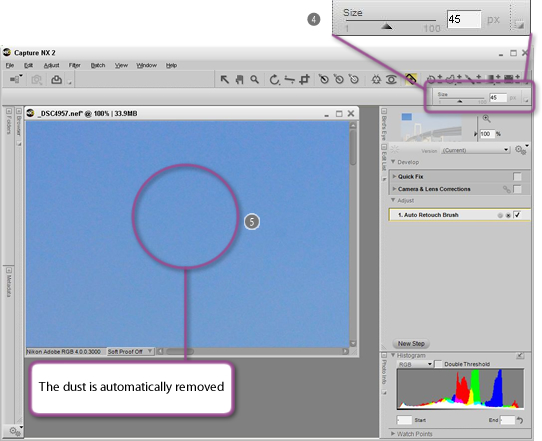
- The size of the Auto Retouch Brush can be changed using the Size slider (default size is 40 px). When removing the effects of a large piece of dust or foreign matter, increase the size of the brush before painting over the portion to be corrected.

- When the drag operation is complete, the effects of dust or foreign matter are automatically removed. This completes the procedure.
*To remove the effects of the Auto Retouch Brush and start again, choose Undo from the Edit menu immediately after completing the drag operation.