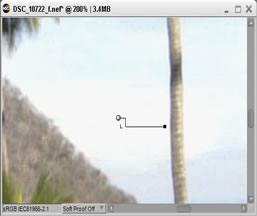

















This type of enhancement is easily performed using Black and White Control Points in Capture NX 2.
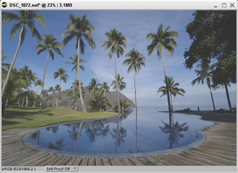
BeforeLow contrast makes the image dull. |

|
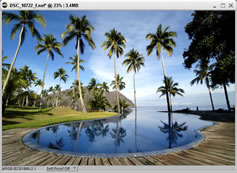
AfterImage after enhancement.The image is more dramatic and distinct. |






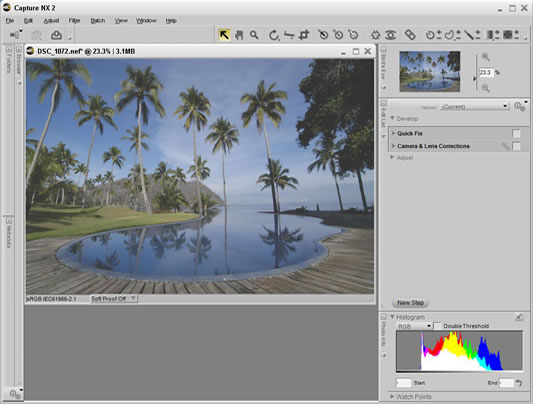

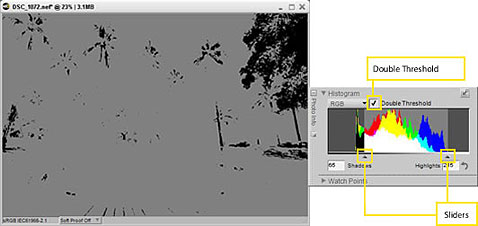
If shadows and highlights are not immediately displayed, adjust the triangle sliders, positioned just under the histogram display when the Double Threshold box is checked.




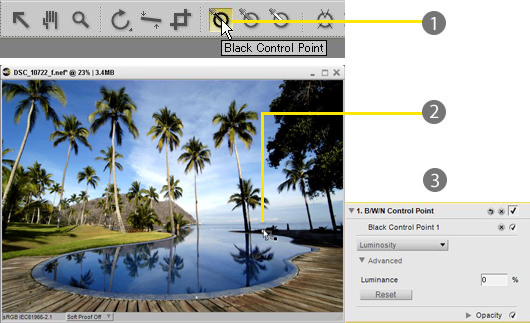
- Select the Black Control Point tool.

- Place a Black Control Point over the darkest portion of the image (shadow portion). This enhances dark portions throughout the image.

- The Black Point dialog box is displayed when a Black Control Point is placed over the image, but we will not adjust any of the settings here.

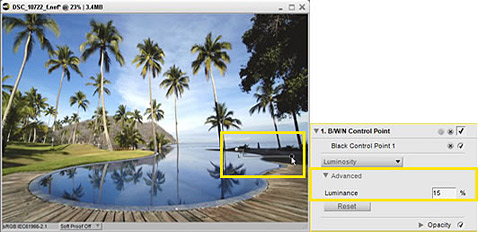
The same adjustment can also be made entering a luminosity value into the Black Point dialog box.


- Select the White Control Point tool.
- Place a White Control Point over the lightest portion of the image (highlight portion). This restores brightness to the image, making it more dramatic.
- The White Point dialog box is displayed when a White Control Point is placed over the image, but we will not adjust any of the settings here.
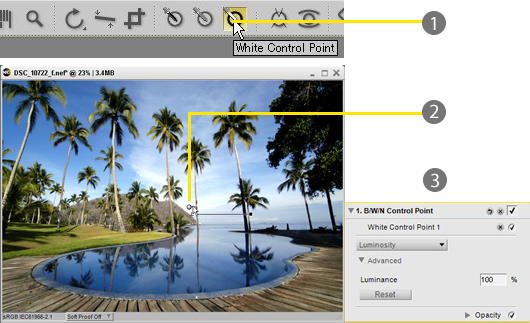

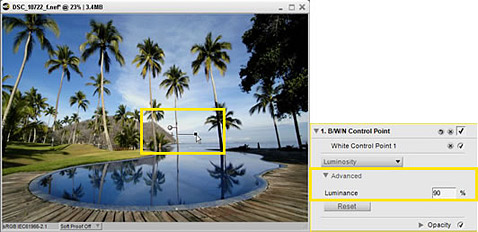


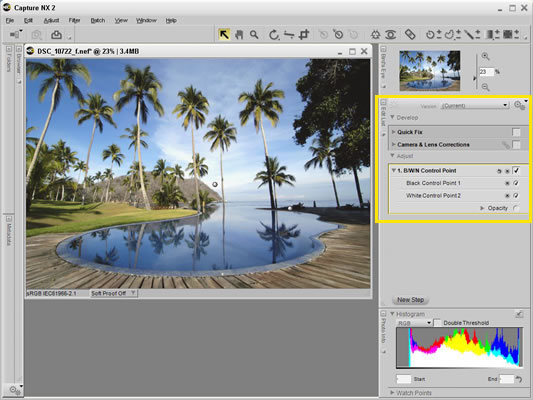

To achieve optimum brightness enhancement, Black and White Control Points must be positioned over the appropriate shadow and/or highlight portions. More precise positioning of Control Points is possible if image display is enlarged to 100–200%.